Themes
strata ships 28 themes. Press T to open the picker — the theme changes as you move, and esc brings the old one back. To keep a theme, set it in your config:
[general]
theme = "tokyo-night"
transparent = false # true uses your terminal's background…and 20 more, plus your own in themes/*.toml.
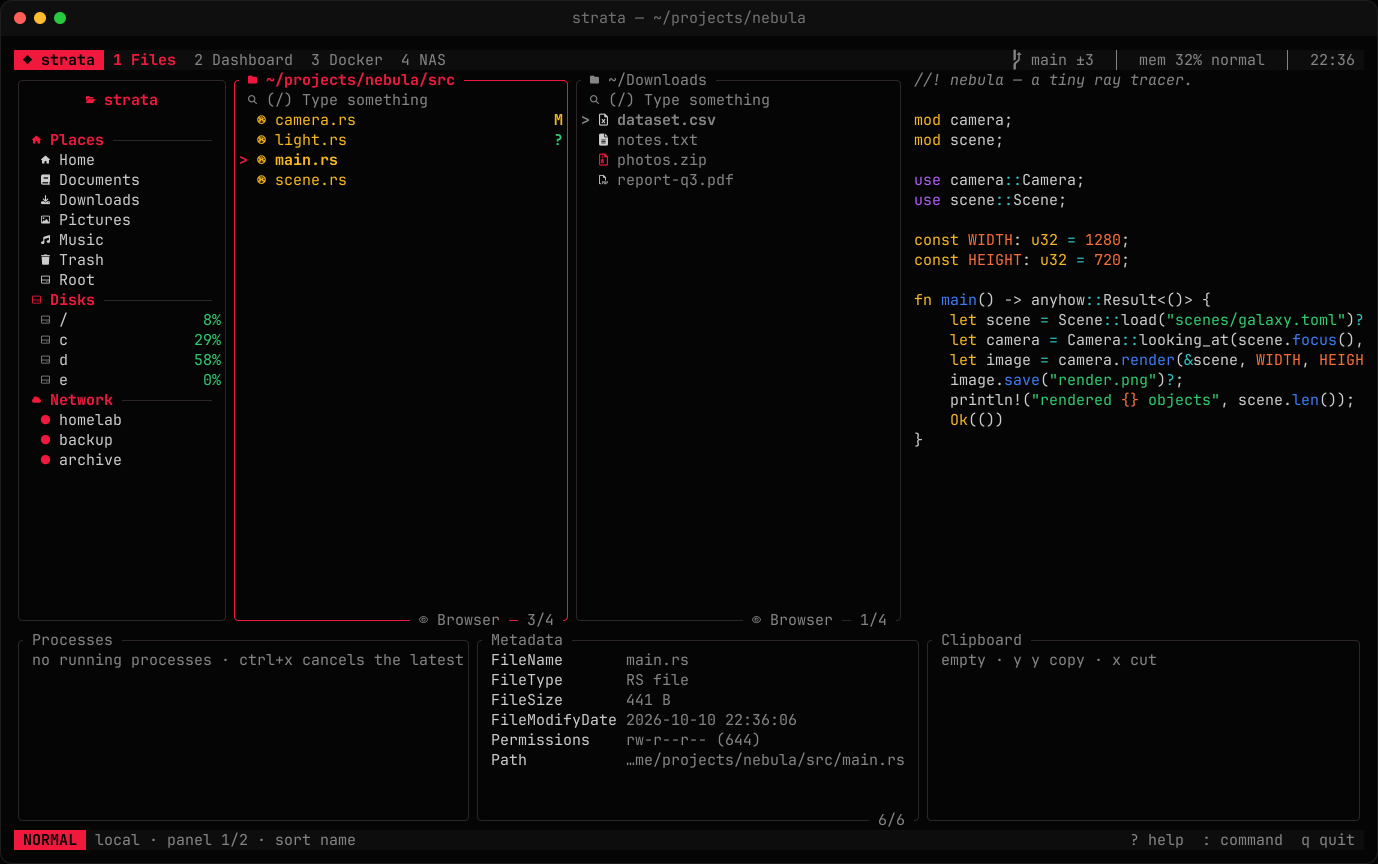
Built-in themes
ayu-dark · catppuccin-frappe · catppuccin-latte · catppuccin-macchiato · catppuccin-mocha · dracula · everforest · github-dark · github-light · gruvbox-dark · gruvbox-light · kanagawa · monokai · nightfox · nord · one-dark · palenight · rose-pine · rose-pine-dawn · rose-pine-moon · solarized-dark · solarized-light · sonokai · strata · terminal · tokyo-night · tokyo-night-day · tokyo-night-storm
strata is the default. The terminal theme uses your terminal's own 16 colours.
Custom themes
A theme is 13 colours; every other colour in the UI is derived from them. Create ~/.config/strata/themes/<name>.toml:
# ~/.config/strata/themes/midnight.toml
inherits = "tokyo-night"   # start from any theme, then override

bg      = "#0f1117"
surface = "#171a23"
overlay = "#2a2f3d"
fg      = "#d8dee9"
muted   = "#6b7280"
red     = "#f87171"
orange  = "#fb923c"
yellow  = "#facc15"
green   = "#4ade80"
cyan    = "#22d3ee"
blue    = "#60a5fa"
purple  = "#c084fc"
accent  = "#22d3ee"        # borders, titles and the cursor
Colours are #rrggbb, #rgb or a named ANSI colour such as red. A broken theme file is reported when strata starts and the others still load.