Groups & selections
Two ways to act on some of your drives rather than one or all: a group you set up once and reuse, and a selection you tick for the moment.
Drive groups
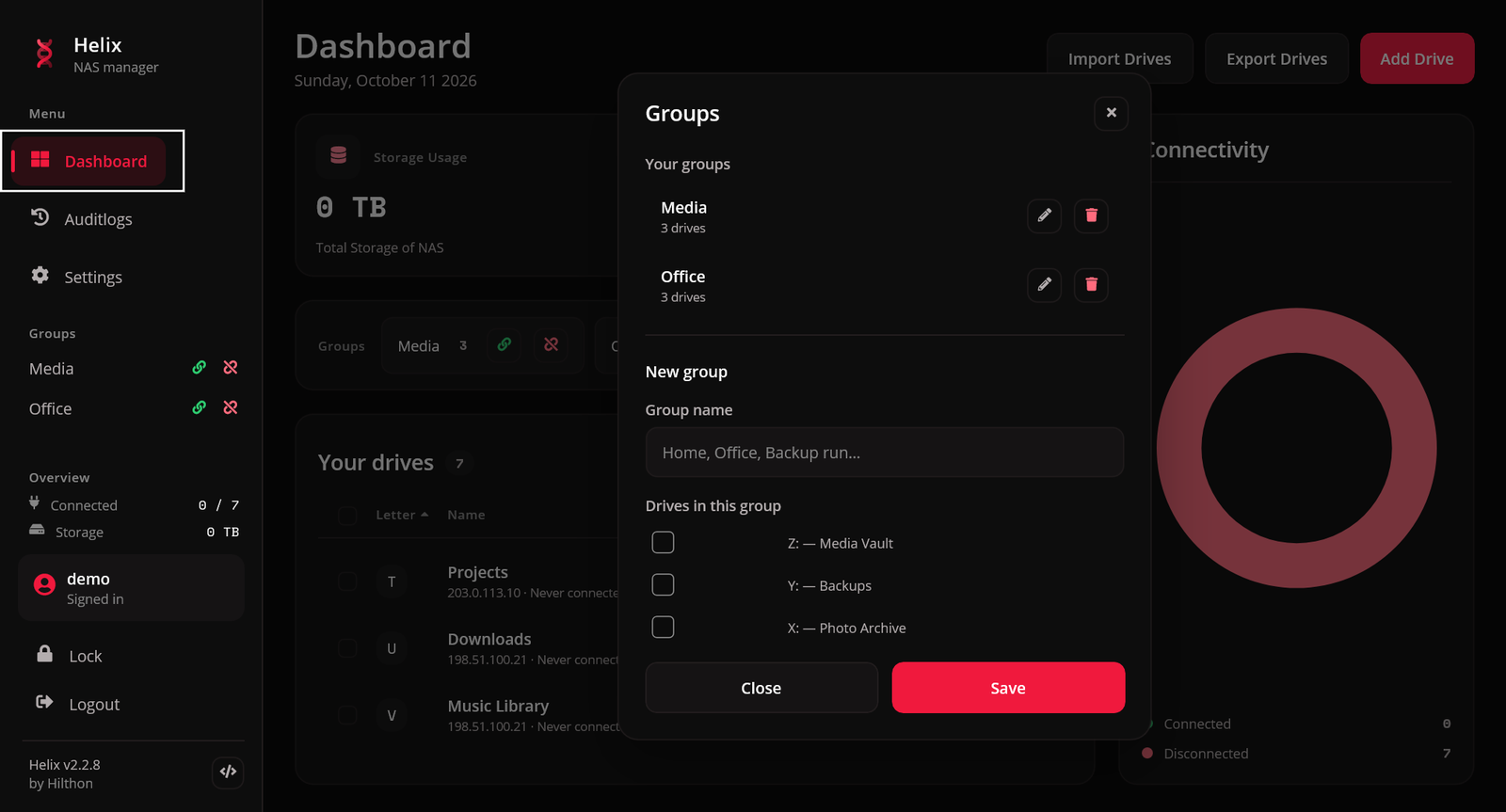
A group is a named set of drives — "Home", "Office", "Backup run" — that connects or disconnects in one action.
Creating one
Open Drives → Groups (Ctrl+G) or the Groups button above the drive list, press New group, name it and tick the drives that belong to it.
- A drive can be in several groups.
- Deleting a group never touches its drives.
- Deleting a drive removes it from every group it was in.
- Deleting a group also deletes any schedule that names it.
Using one
| From | How |
|---|---|
| The dashboard's Groups strip | the connect and disconnect buttons on each group |
| The sidebar | the same, from any page |
| The group manager | Connect group / Disconnect group |
| The tray menu | Connect followed by the group's name |
| The command line | --connect-group <name> / --disconnect-group <name> |
A group connects every member, including drives with Connect automatically switched off — that switch only holds a drive back from what Helix does unattended, and pressing a group button is deliberate.
Selections
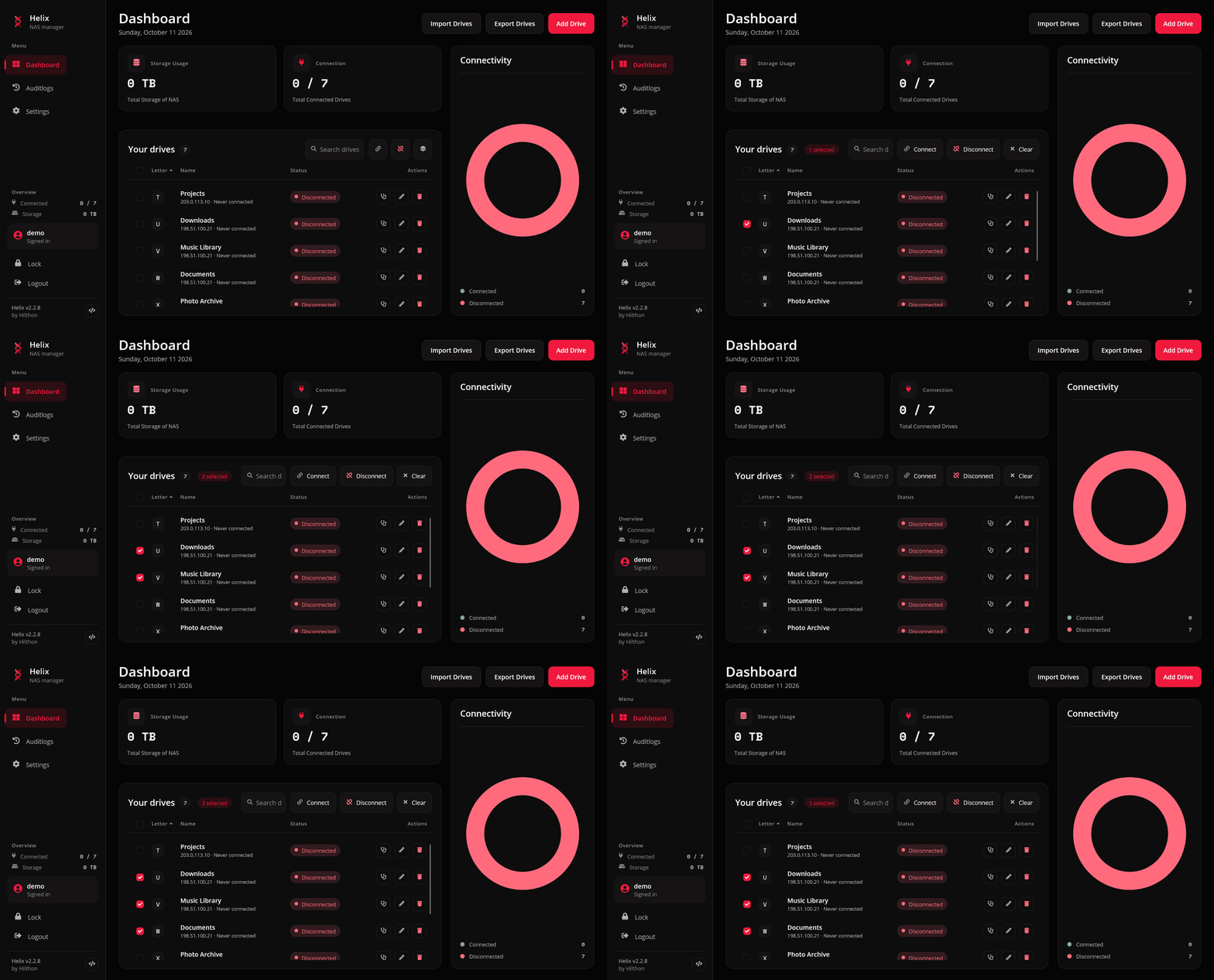
Every row has a tick box. Tick a few — or focus a row and press Space — and the bar above the list changes from the all-drives buttons to the selection bar.
| Button | Action |
|---|---|
| Connect | connect the ticked drives that are down |
| Disconnect | disconnect the ticked drives that are up |
| Clear | untick everything |
The tick box in the header selects every row shown. The selection bar replaces Connect all and Disconnect all while it is up, so there is never a question about which button means "everything".
The selection stays after an action, so you can connect three drives and later disconnect the same three. Rows that a search hides are unticked, so an action only ever applies to rows you can see.
The disconnect confirmation
Unmounting pulls a share out from under whatever has a file open on it, so disconnecting several drives asks first: "N drives will be unmounted. Anything you have open on them may fail to save." This applies to Disconnect all, a selection and a group's disconnect.
On Windows the question also names the drives that still have files or folders open — an Explorer window, a document, a backup in progress — counted the way net use counts them. Disconnecting a single row asks only in that case; a row nothing is using comes down at once, as before. Helix can say that something is open, not which program has it. macOS does not report it, so the question there is the plain one.
The question is skipped when nothing would actually come down. The tray's Disconnect all drives, the global shortcut and the command line do not ask either — they are used when there is no window to ask in. A link that disconnects always asks.
What happens on failure
A group or a selection mounts its drives in parallel and reports one banner listing each drive that failed, prefixed by its letter. Drives that connected stay connected; nothing is rolled back.