Diagnosing a drive
A drive that is off, a drive whose share was renamed, a drive with the wrong password and a drive whose server is held by someone else's session all fail to connect. The connection check tells them apart.
Run it from the stethoscope button on a drive row, Diagnose on the right-click menu, or Ctrl+D on a focused row.
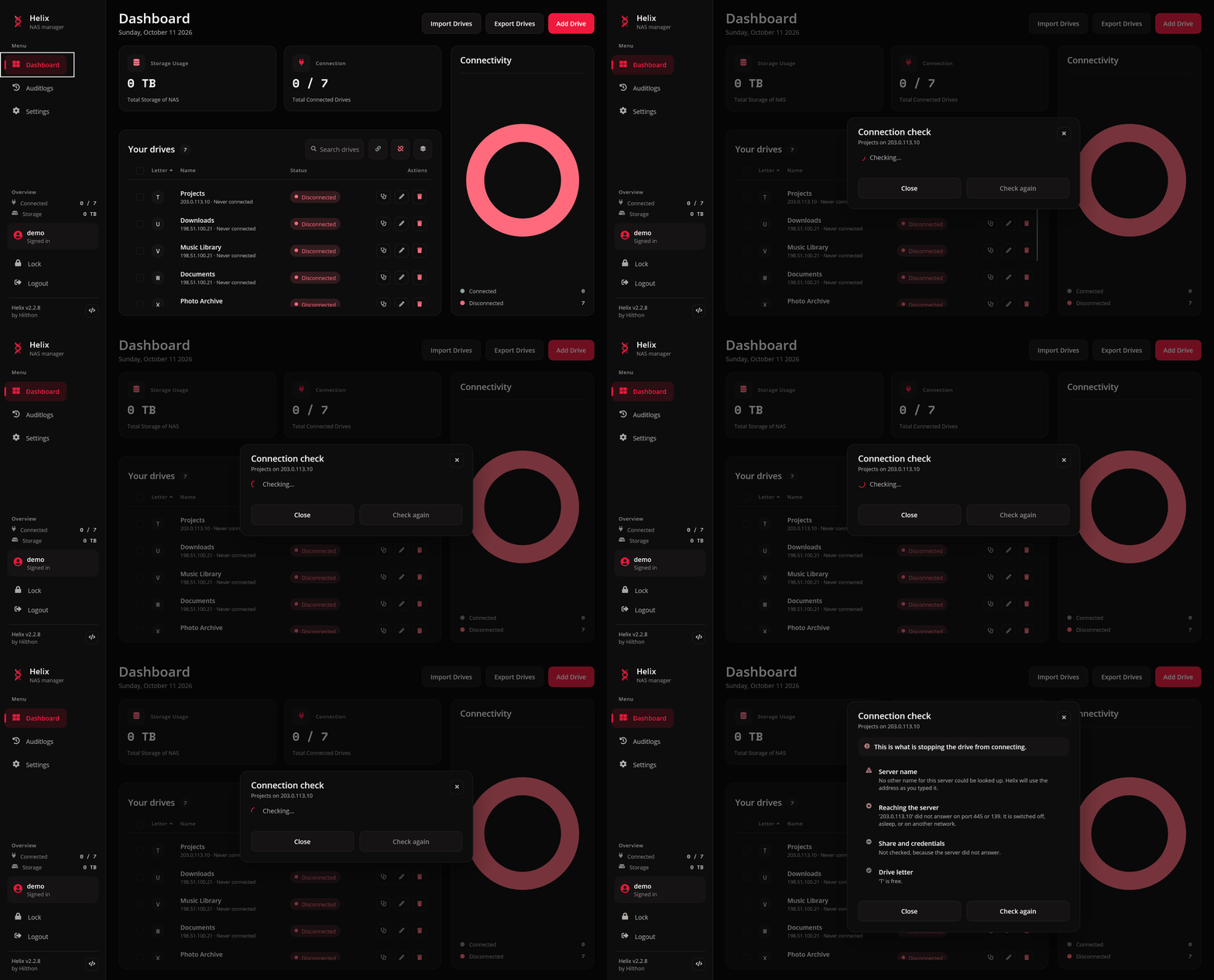
The four steps
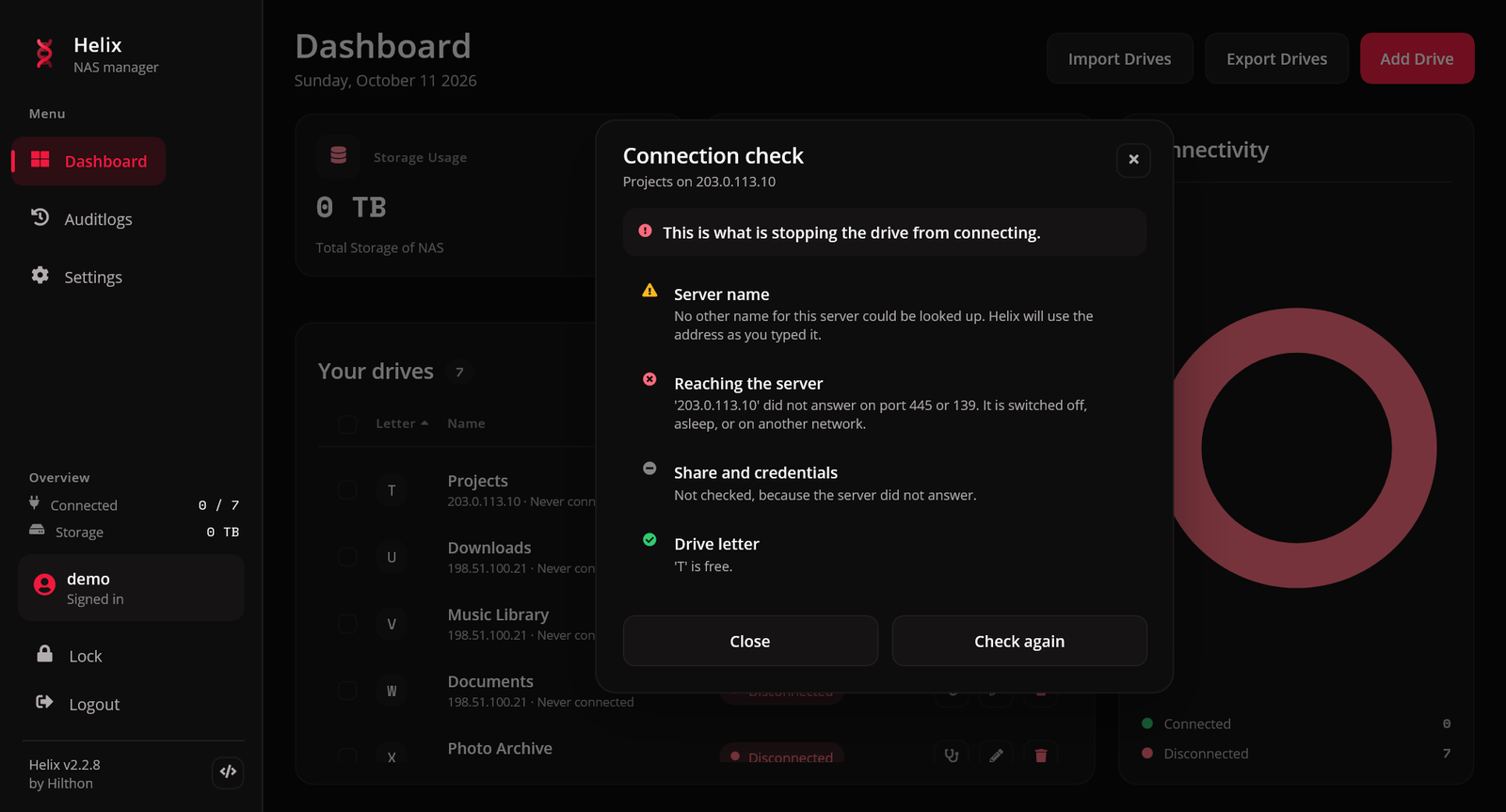
The check follows the order a mount actually takes: the server's name, reaching it, the share and credentials, and the drive letter. Each step is marked as passed, a warning, failed or skipped.
1. Server name
Helix looks up the server's other name — the hostname for an IP address, or the address for a name.
| Result | Meaning |
|---|---|
| The server also answers to ... | found; Helix knows both spellings |
| No other name could be looked up | a warning, not a failure. Home routers often have no reverse lookup for their devices. Helix uses the address as you typed it |
2. Reaching the server
A fresh connection attempt to the SMB ports, 445 and then 139.
| Result | Meaning |
|---|---|
| Answered on SMB port 445 (or 139) | the server is up and reachable |
| Did not answer on port 445 or 139 | it is switched off, asleep, or on another network. The share step is skipped, since there is nothing to ask |
If the drive has an away address and the home address is silent but the away one answers, the rest of the report is about the away address — that is what a connect would use.
3. Share and credentials
Helix tries the share with the stored credentials, without touching the drive's letter.
| Result | Meaning |
|---|---|
| The share exists and the credentials were accepted | everything on the server side is fine |
| Accepted, with a warning that the password was not checked | another drive is already signed in to this server, and Windows reused that session. The stored password may still be wrong. Disconnect the server's other drives and check again to really test it |
| Already mounted, so not tested again | the drive is up; testing would only test the existing session |
| The server is signed in under different credentials | a session conflict: something else on this computer holds the server under another account. Disconnect every drive and Explorer window using it, then try again |
| The server's own error | for anything else — a wrong password, a share that does not exist — the operating system's message is shown as is |
4. Drive letter
This step always runs, even when the server is off — a letter taken by a USB stick is worth knowing about either way.
| Result | Meaning |
|---|---|
| The letter is free | nothing is in the way |
| Already mounted from this share | it is this drive, already up |
| In use by something else | another device or mapping holds the letter. Edit the drive and choose a free one |
Reading the result
The heading says either Nothing is standing in this drive's way or This is what is stopping the drive from connecting, and Check again runs it once more. The report is in your language, except a credential rejection, which shows the operating system's own words.
The last 30 days
Below the steps, the report reads the drive's history from the audit log: how often it lost its connection, how many of those were in the last week, and how many times it came back on its own and how quickly. A drive that dropped three or more times in a week is marked with a warning — a share that comes and goes is usually a NAS going to sleep, a flaky Wi-Fi link or a power-saving network adapter rather than anything the check above can see.
Drops are only noticed while Helix is running, and the history only reaches back as far as the audit log is kept.
On macOS each drive signs in on its own, so the "password was not checked" warning never appears there. If the check does not explain the problem, see Troubleshooting.