Chat
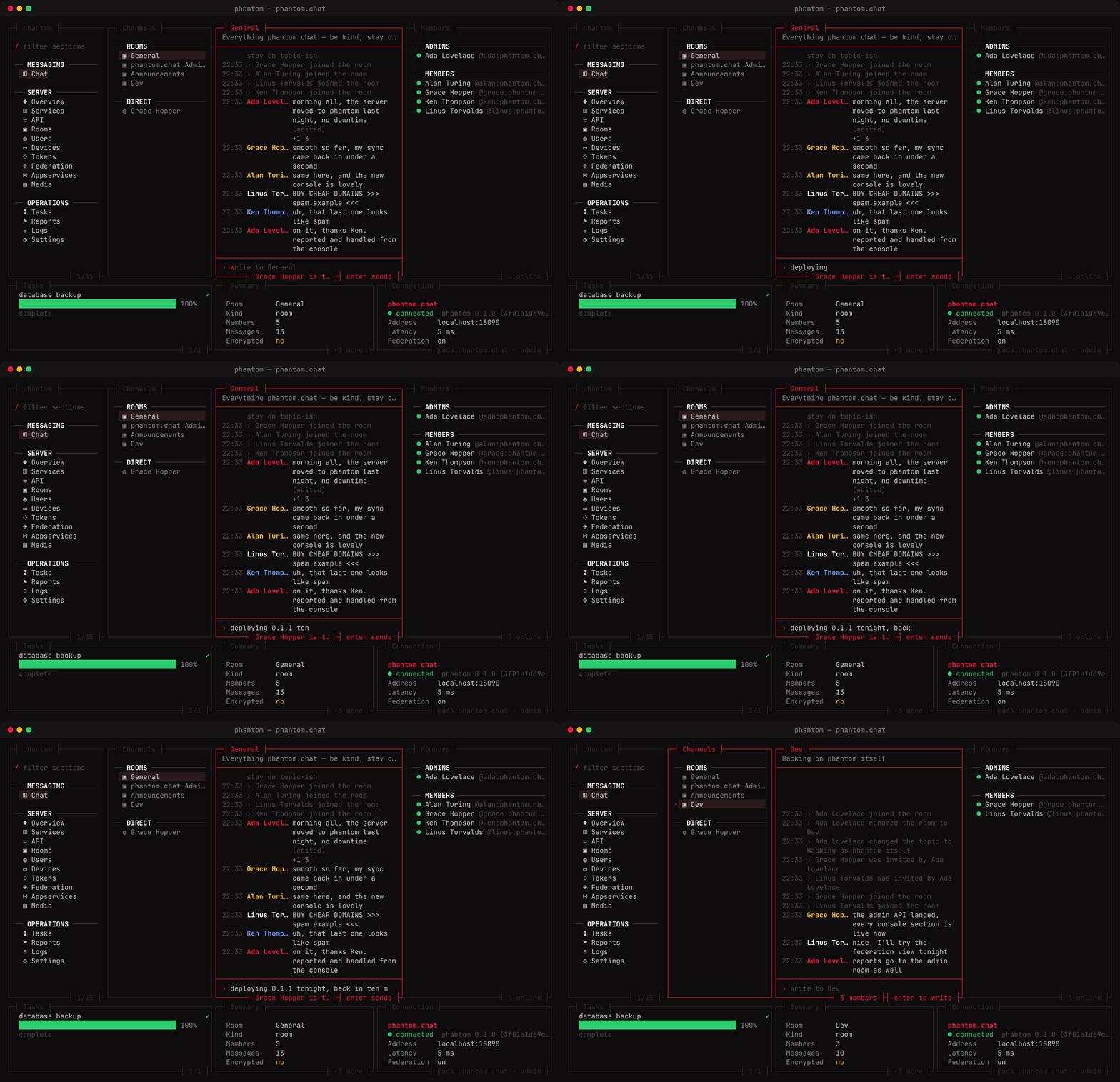
Any signed-in account can chat. The Chat section shows your rooms from the server, kept up to date over /sync.
Rooms
Rooms are listed newest activity first, direct messages after them. A room is named by its name, then its alias, then its members. The members panel shows who is online and who is an admin of the room.
Reading
The timeline shows messages with edits applied, reactions counted, thread replies counted on their root, deleted messages marked, and joins, invites, bans, renames and topic changes as sentences. Opening a room moves your read receipt to its newest message.
Writing
enter starts writing, enter again sends, esc stops. Others see you typing while you write. A message shows at once as sending… until the server confirms it, or not sent with the reason. Start with /me for an emote.
Joining and leaving
:join #room:serverjoins a room by alias or ID and opens it.:leaveleaves the open room, after asking.
The console cannot decrypt end-to-end encrypted rooms; their messages say so. Invites aren't listed — join the room with :join.